waldur-site-agent
Installation Guide
This guide covers the complete installation and setup process for Waldur Site Agent.
Prerequisites
Waldur Offering Configuration
Before installing the agent, you need to create and configure an offering in Waldur:
Create Offering
- Go to
Service Providersection of your organization - Open offering creation menu
- Input a name, choose a category
- Select
Waldur site agentfrom the drop-down list -
Click
Createbutton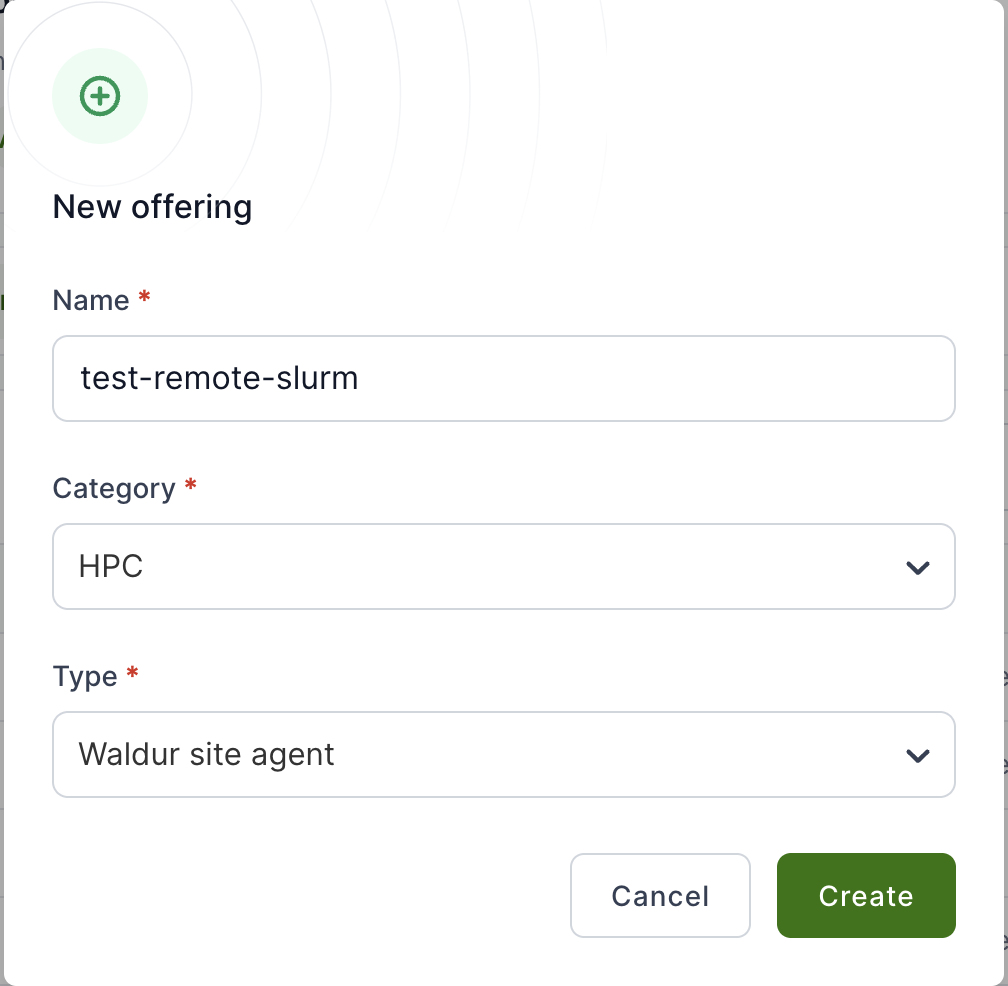
Configure Accounting Plan
- Open the offering page, choose
Edittab - Click
Accountingsection - Choose
Accounting plansfrom the drop-down list -
Click
Add planand input the necessary details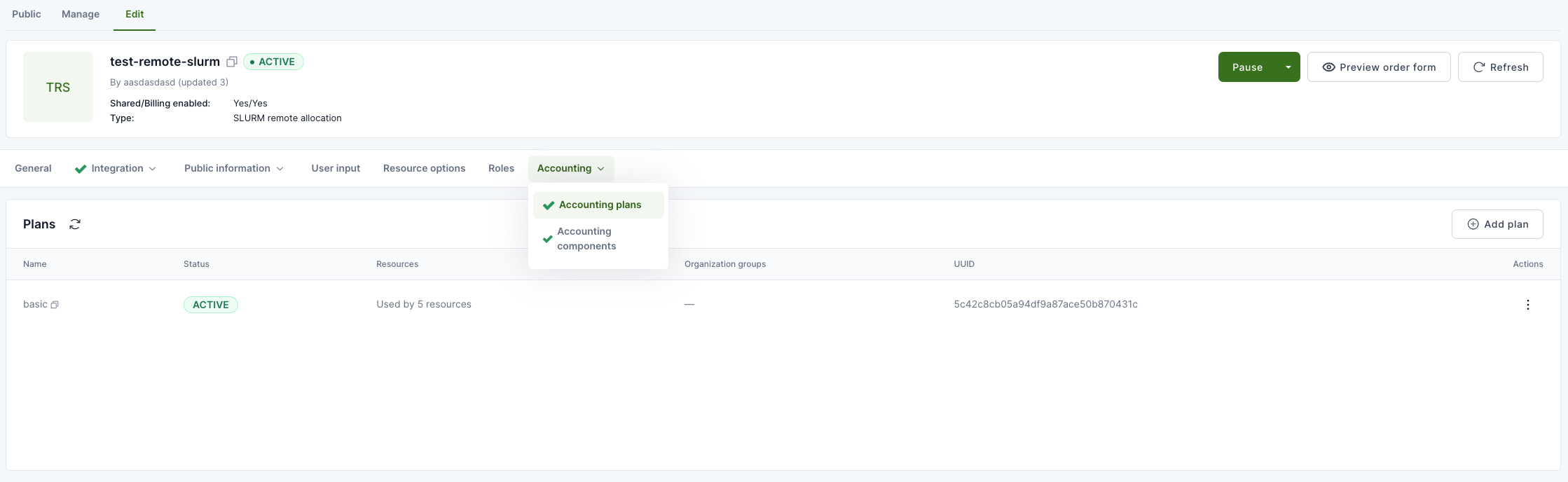
Enable User Management
- In the same page, click
Integrationsection - Choose
User managementfrom the drop-down list -
Set
Service provider can create offering useroption toYes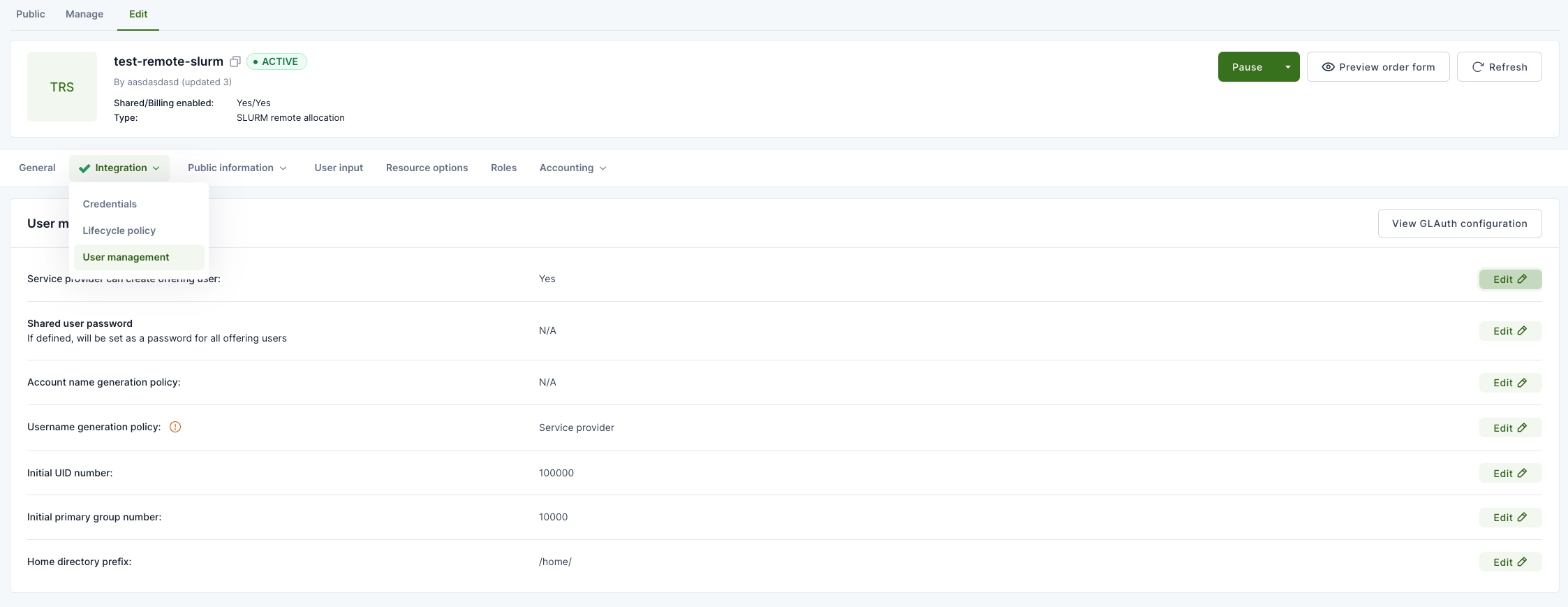
Activate Offering
- Activate the offering using the big green button
Activate
Get Offering UUID
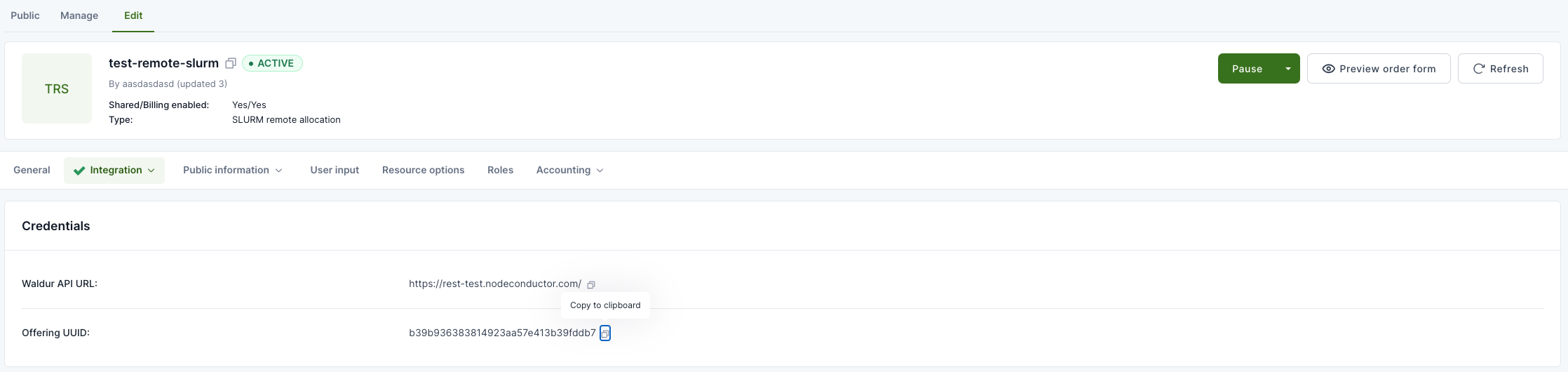
- Copy the UUID from the
Integration -> Credentialssection -
You’ll need this for the agent configuration file
Installation
OS-Specific Installation Guides
For detailed, platform-specific installation instructions:
- Ubuntu 24.04 LTS - ⭐ Recommended - Complete guide for Ubuntu 24.04 LTS (fully validated)
- Rocky Linux 9 - Complete guide for Rocky Linux 9.x (validated)
Recommendation: Ubuntu 24.04 LTS provides the best installation experience with Python 3.12, modern development tools, and fastest setup time.
Basic Installation
pip install waldur-site-agent
Kubernetes Installation (Helm)
To run the agent on Kubernetes instead, install the published Helm chart:
helm repo add waldur https://waldur.github.io/waldur-site-agent
helm repo update
helm install waldur-site-agent waldur/waldur-site-agent
See the chart README for available versions and the full list of configurable values. The rest of this guide covers the package-based installation.
Development Installation
For development or custom plugin work:
# Clone the repository
git clone https://github.com/waldur/waldur-site-agent.git
cd waldur-site-agent

# Install with uv
uv sync --all-packages

# Verify installation
uv run waldur_site_agent --help
Configuration
Create Configuration File
sudo mkdir -p /etc/waldur

sudo curl -L \
https://raw.githubusercontent.com/waldur/waldur-site-agent/main/examples/waldur-site-agent-config.yaml.example \
  -o /etc/waldur/waldur-site-agent-config.yaml
Load Components
Load computing components into Waldur (required for offering setup):
waldur_site_load_components -c /etc/waldur/waldur-site-agent-config.yaml
Create Home Directories (Optional)
If your backend supports and requires home directory creation (any backend
declaring supports_user_homedirs, e.g. SLURM), with
enable_user_homedir_account_creation left enabled for the offering:
waldur_site_create_homedirs -c /etc/waldur/waldur-site-agent-config.yaml
Plugin-Specific Requirements
SLURM Plugin
- Requires access to SLURM command-line utilities (
sacct,sacctmgr) - Must run on a SLURM cluster head node
- User running the agent needs SLURM administrator privileges
MOAB Plugin
- Requires access to MOAB command-line utilities (
mam-list-accounts,mam-create-account) - Must run on a MOAB cluster head node as root user
- Only supports
depositcomponent type
MUP Plugin
- Requires API access to MUP portal
- Needs valid API credentials in configuration
Verification
Test your installation:
# Check agent help
waldur_site_agent --help

# Test configuration
waldur_site_diagnostics -c /etc/waldur/waldur-site-agent-config.yaml

# Run dry-run mode (if available)
waldur_site_agent -m order_process -c /etc/waldur/waldur-site-agent-config.yaml --dry-run
Next Steps
After installation:
- Configure your agent settings in
/etc/waldur/waldur-site-agent-config.yaml - Set up systemd services for production deployment
- Configure monitoring and logging
See the Configuration Reference and Deployment Guide for detailed next steps.